Solutions
How to switch Solutions on and off for your organization, and open the ones it uses.
Overview
Flourish's Solutions are its Systems, Apps and APIs. Solutions lists every one with what it does, and shows which your organization has switched on. Owners and Admins switch them on and off. Everyone else can see them.
A switch takes effect at once. An app on the web follows straight away, and so does your organization's Salesforce when we can reach it. If we can't reach your Salesforce right then, the Dashboard says Your Salesforce picks it up tonight.
When a Solution needs setting up in your Salesforce first, Flourish does that with you. Write to us from Support to get started.
The Solutions page
The page has three sections, Apps, Systems and APIs, each in ABC order. Each card shows the Solution's name, what it does and anything it needs, such as Needs Box for uploads. It also shows whether the Solution is On, Off or Included.
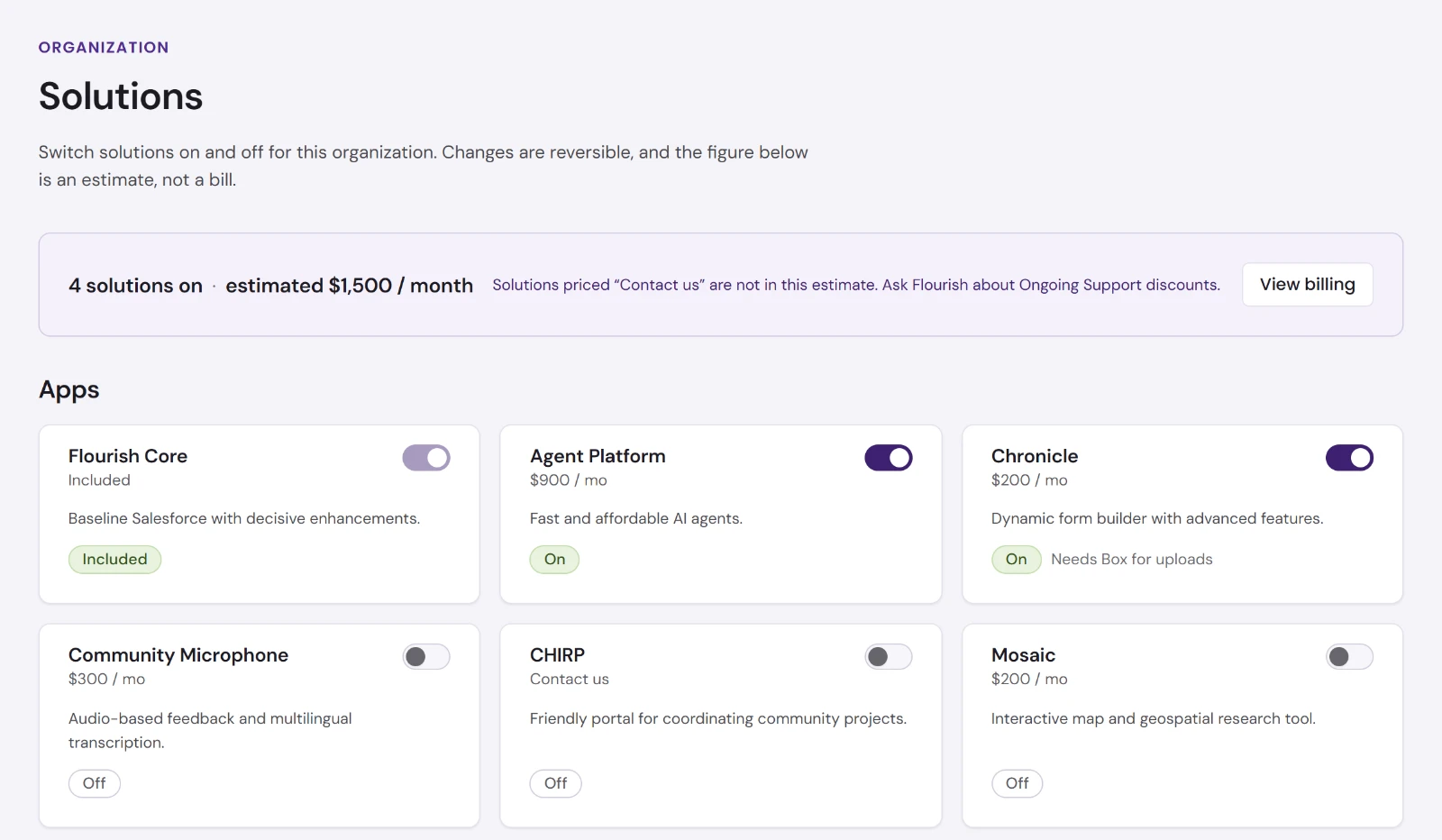
| Solution | Kind | What it is |
|---|---|---|
| Agent Platform | App | Fast and affordable AI agents. Switching it on gives your team Greenhouse. |
| Arbor | App | Relationship modeling and frictionless access. |
| Arquera | App | App launcher. |
| Chronicle | App | Dynamic form builder. Needs Box for uploads. |
| Community Microphone | App | Audio-based feedback from stakeholders. |
| Flourish Core | App | Baseline Salesforce with decisive enhancements. Included, and can't be switched off. |
| Folio | App | Reports and dashboards over your data, wherever it lives. |
| Liminal | App | Lite e-commerce, event, and volunteer management. Needs Stripe. |
| Mantel | App | Desktop apps for your team, starting with file backup. |
| Mosaic | App | Interactive map and geospatial research tool. |
| Rapport | App | Multi-channel communication capture and relationship intelligence. Needs mailbox access. |
| Spark | App | AI-mediated personal reflection and community space. |
| CHIRP | System | User-friendly portal for community projects. |
| Consumer Health | System | Inspections and case management for health departments. |
| Impression | API | Document, image, and web data utilities. |
| Pinpoint | API | Geospatial data validation and enhancement. |
Each Solution has its own guide on this site.
Switching a Solution on or off
Owners and Admins use the switch on each card.
- On takes effect at once, and the Dashboard says so, for example Mosaic is on.
- Off asks first, with Switch Mosaic off? It stops working for the organization at once, in your Salesforce too. Your data stays. Choose Switch off to confirm.
Either change can be undone at any time, and each one appears in the Overview's Recent activity.
Opening a Solution
Once a Solution is on, its card offers what it has:
- Open for one that runs on the web, such as Folio or Mosaic, in a new tab
- Open Greenhouse for Agent Platform, signed in as you
- an installer to download, such as Mantel's Download Device Backup for Windows 10 or 11