Solutions & Billing
How to switch Solutions on and off for your organization, and read what they are estimated to cost.
Overview
Flourish's Solutions are its Apps and APIs. Solutions lists every one, with what it does and its monthly price, and shows which your organization has switched on. Owners and Admins switch them on and off; everyone else can see them.
Switching a Solution on records that your organization uses it and adds it to your estimate. It does not install or set anything up by itself: Flourish sets each Solution up with your organization. To get started with one you have switched on, write to Flourish from Support.
Billing shows the estimate, who Flourish bills, and the Solutions it is made of. Owners and anyone set to Billing only can see it.
Solutions
The page has two sections, Apps and APIs. Each card shows the Solution's name, its monthly price, whether it is On, Off or Included, and anything it needs, such as Needs Box for uploads.
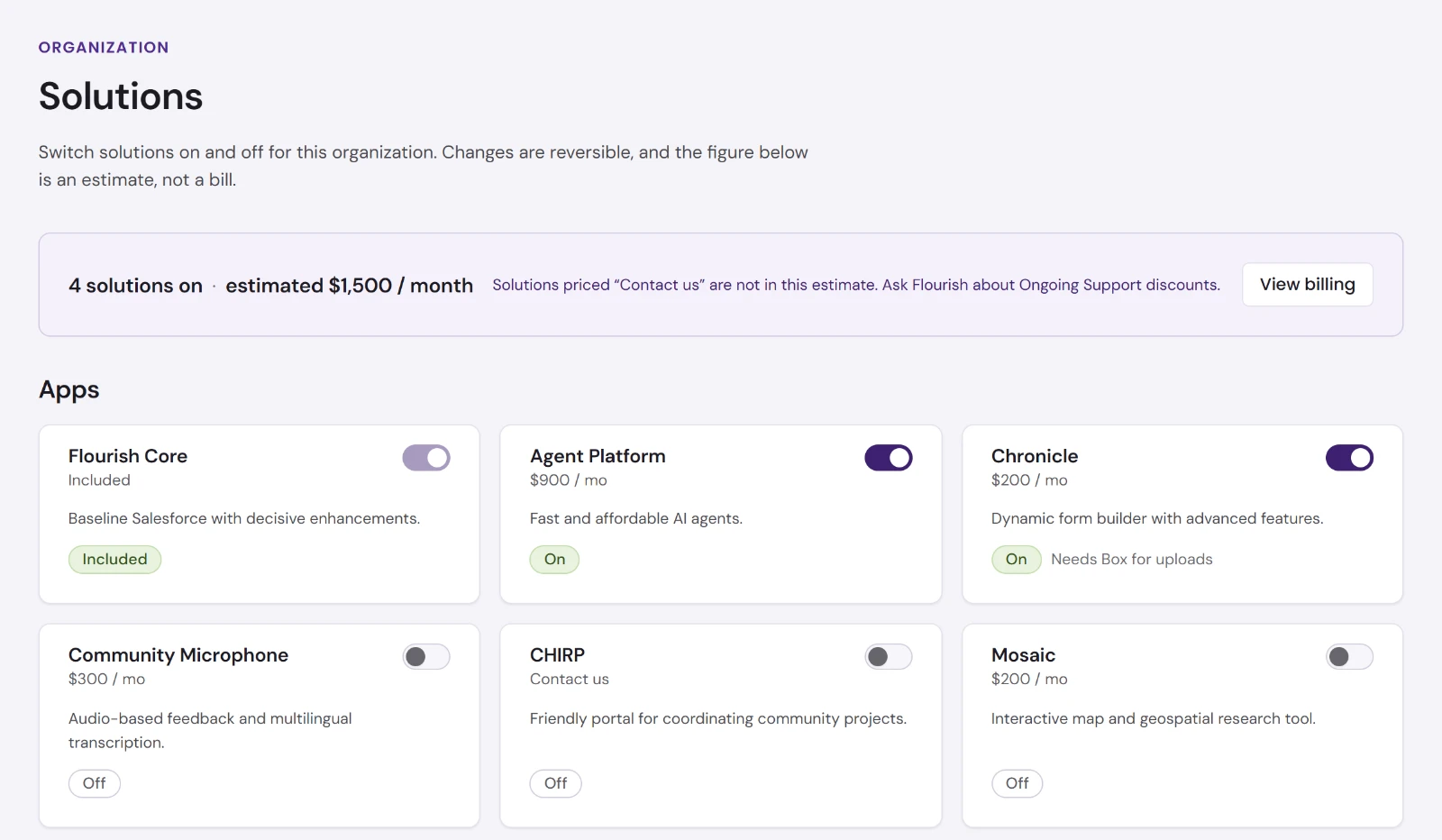
| Solution | Kind | What it is |
|---|---|---|
| Flourish Core | App | Baseline Salesforce with decisive enhancements. Included, and cannot be switched off. |
| Agent Platform | App | Fast and affordable AI agents. Switching it on gives your team Greenhouse. |
| Chronicle | App | Dynamic form builder with advanced features. Needs Box for uploads. |
| Community Microphone | App | Audio-based feedback and multilingual transcription. |
| CHIRP | App | Friendly portal for coordinating community projects. |
| Mosaic | App | Interactive map and geospatial research tool. |
| Arquera | App | Launch your views and tools as web apps. |
| Liminal | App | Lite e-commerce, events and volunteer management. Needs Stripe. |
| Arbor | App | Relationship modeling and license-free member access. |
| Spark | App | AI-mediated personal reflection and community space. Standalone. |
| Rapport | App | People intelligence from your team's communications. Needs mailbox access. |
| Pinpoint | API | Geospatial data validation and enrichment. |
| Impression | API | OCR, PDF generation and web data utilities. |
Each Solution has its own guide on this site.
Switching a Solution on or off
Owners and Admins use the switch on each card.
- On takes effect at once, and the dashboard says, for example, Mosaic is on.
- Off asks first: Turn off Mosaic? Choose Turn off to confirm. Anyone in the organization loses it as soon as you do.
Either change can be undone at any time, and each one appears in the Overview's Recent activity.
The estimate
The bar at the top of Solutions gives how many Solutions are on and the estimated monthly total. It is an estimate, not a bill. Solutions priced Contact us are not in it; ask Flourish about those, and about Ongoing Support discounts.
Solution settings
Solution settings lists the Solutions your organization has switched on. Choose one to see its description and its settings.
A Solution that depends on another platform shows Locked until your organization has a working connection to it, such as Box for Chronicle's file uploads or Stripe for Liminal. Go to connections takes you to connect it; see Connections. A connection of your own does not count here: it has to be the organization's.
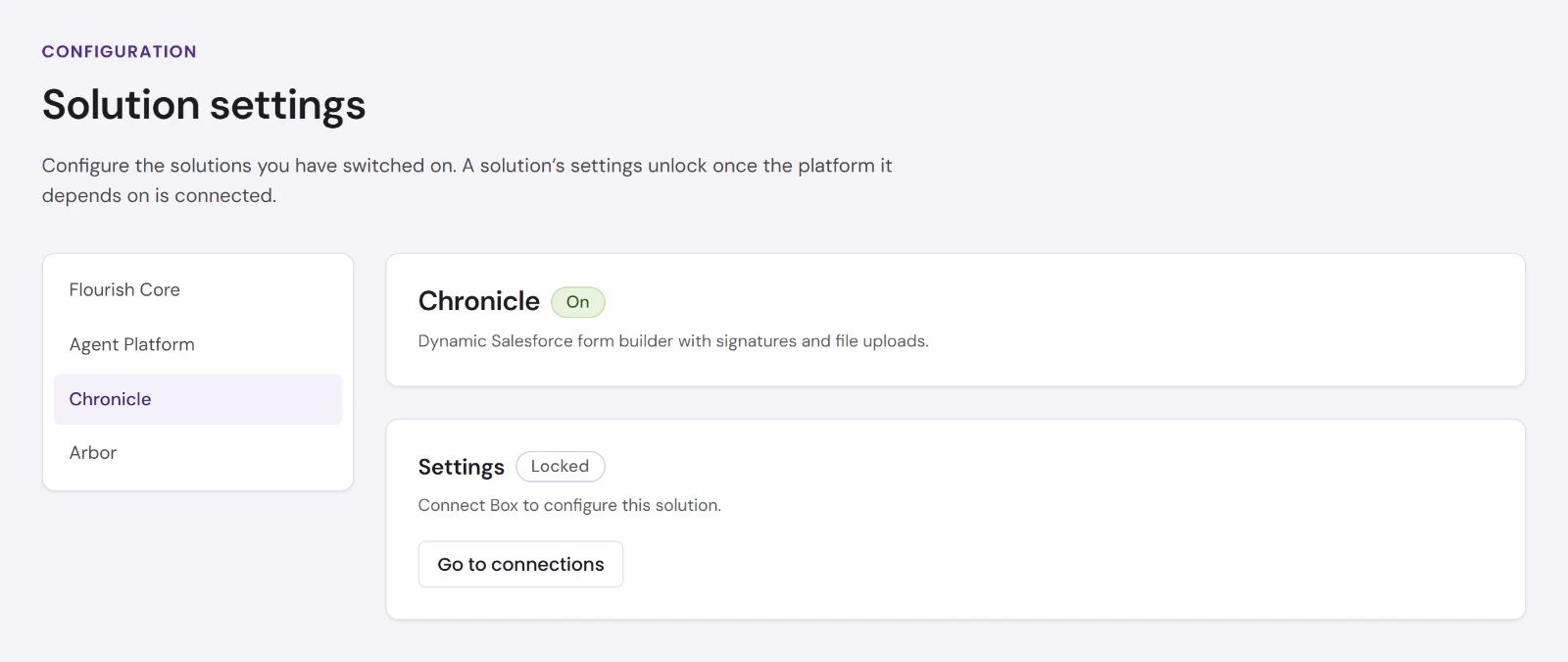
No Solution has settings you change in the dashboard yet, locked or not: Flourish configures each one with your organization.
Billing
Owners and anyone set to Billing only can open Billing. Admins and Members cannot; the page tells them to ask an Owner.
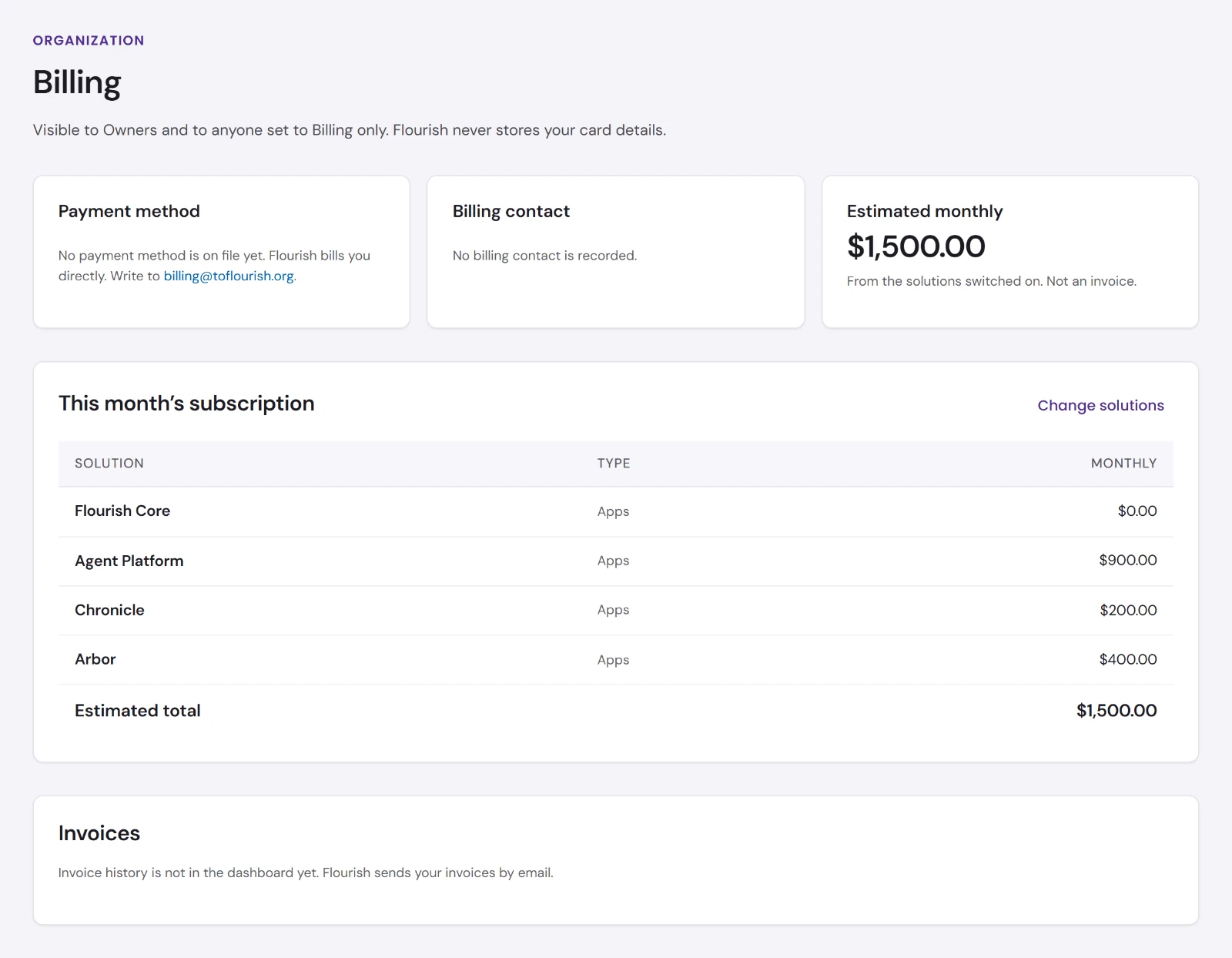
| Panel | What it shows |
|---|---|
| Payment method | Flourish bills you directly and never stores your card details. Write to billing@toflourish.org about payment. |
| Billing contact | Who Flourish sends bills to, and the billing address on record. |
| Estimated monthly | The estimate from the Solutions switched on, and your contracted rate when Flourish has one on file. It is not an invoice. |
| This month's subscription | Each Solution switched on with its monthly price, and the estimated total. Change solutions goes to Solutions. |
| Invoices | Flourish sends your invoices by email. They are not in the dashboard. |
To change who is billed, your contract or your rate, write to billing@toflourish.org or use Support.