Trying a Demo
How to try Community Microphone in a demo of your own before your organization uses it.
Overview
A demo is a private copy of Community Microphone that anyone can build from Flourish's website. It needs no email address and no sign-up. It holds a listening campaign written for the work you describe and already translated. It has no answers yet, so every answer in it is your own. It lasts seven days.
Everything in a demo works as it does for an organization. Your recordings are transcribed and analyzed, Insights adds them up, and the assistant answers from them.
Building a demo
- Go to toflourish.org/demo/community-microphone, or choose Try it out on Community Microphone's row on the website's Solutions page.
- Beside I work at, say who you serve, such as a food bank or a clinic. You can leave it blank.
- Choose Generate my demo.
In about a minute, the page says Your demo is live. Choose Open your demo to go in. Copy link copies the demo's link.
Keep the link. It's the only way back into your demo. If you lose it, build another.
Anyone you give the link to opens the same demo, signed in as you. A demo can't add people by email, so the link is how you bring in a colleague. Opening the link in a browser where you're signed in to Community Microphone signs you in to the demo instead.
Your first ten minutes
The demo opens on its campaign with a checklist, Your first ten minutes, that takes you through it in five steps.
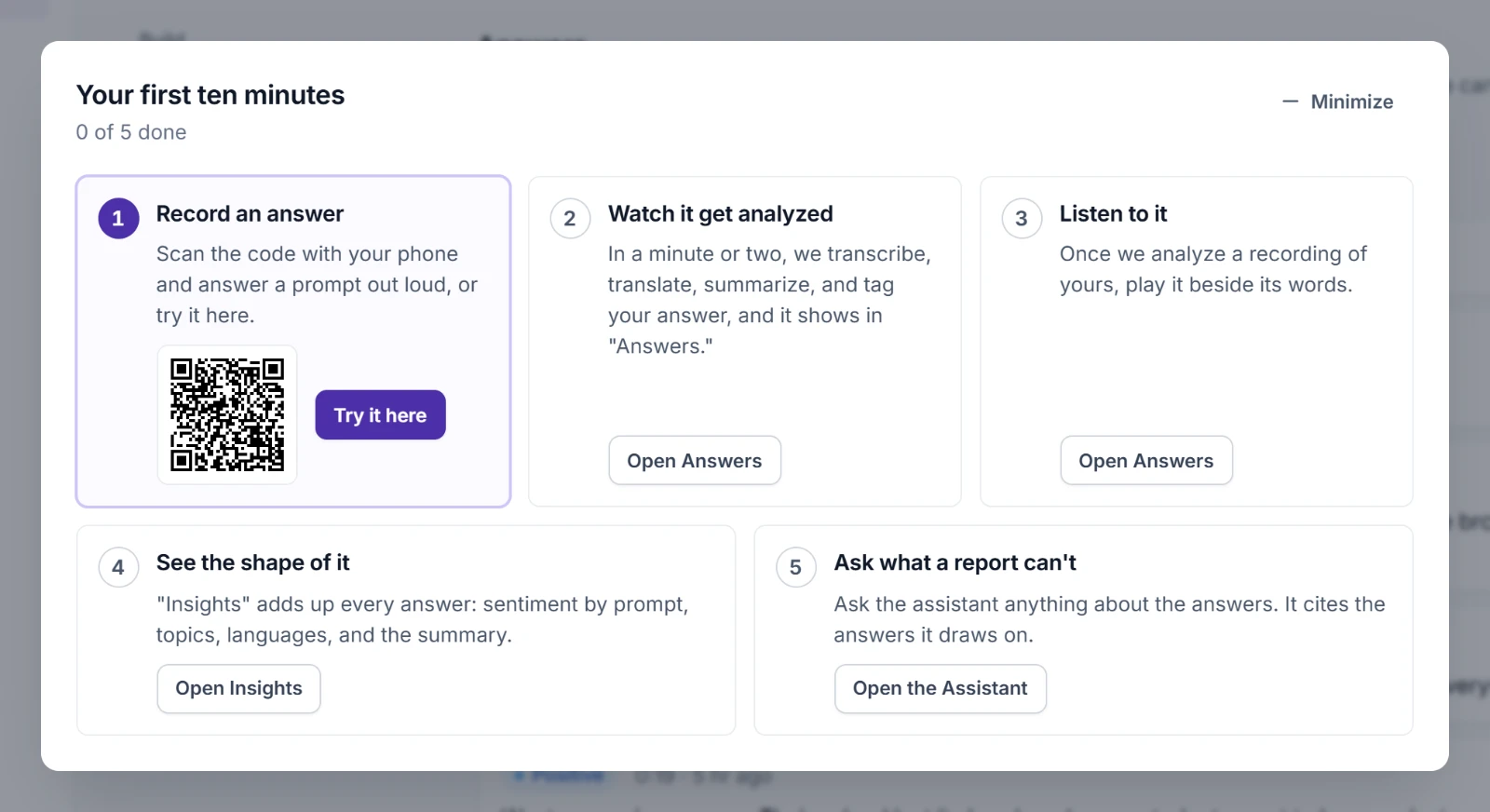
| Step | What you do |
|---|---|
| Record an answer | Scan the QR code with your phone and answer a prompt out loud, or choose Try it here. |
| Watch it get analyzed | Open Answers. In a minute or two, your answer is transcribed, translated, summarized, and tagged. |
| Listen to it | Open your answer and play its recording beside its words. |
| See the shape of it | Open Insights to see every answer added up. |
| Ask what a report can't | Open the Assistant and ask about the answers. |
Each step ticks itself once you've done it. Minimize tucks the checklist into a button at the bottom right. The button shows how many steps are done and opens the checklist again.
The guides for each part are Building a Campaign, Sharing a Campaign, Reading Answers, Insights, and The Assistant.
What a demo holds you to
A demo is for trying Community Microphone, so it has limits of its own:
- 30 answers in all, those given in Try it included
- recordings that stop at 2 minutes, whatever a prompt's time limit
- 20 questions to the assistant
- 5 campaigns at most
- no staff added by email
Its pages say they're a demo's and the day everything in them is deleted. They never send people on to another address at the end. Once a demo has all the answers it can take, its link says This demo is full.
When it ends
A band across the top says the day your demo ends. That day, we delete everything in it, and its link no longer opens it. It says This demo has ended and offers Build a new demo.
To keep your demo as your organization's, choose Get in touch on the band before it ends.
If you sign out of a demo, choose its link again to come back while it lasts.