Maps on Websites
How to put a Mosaic map on your organization's website, or any other, with one line of code.
Overview
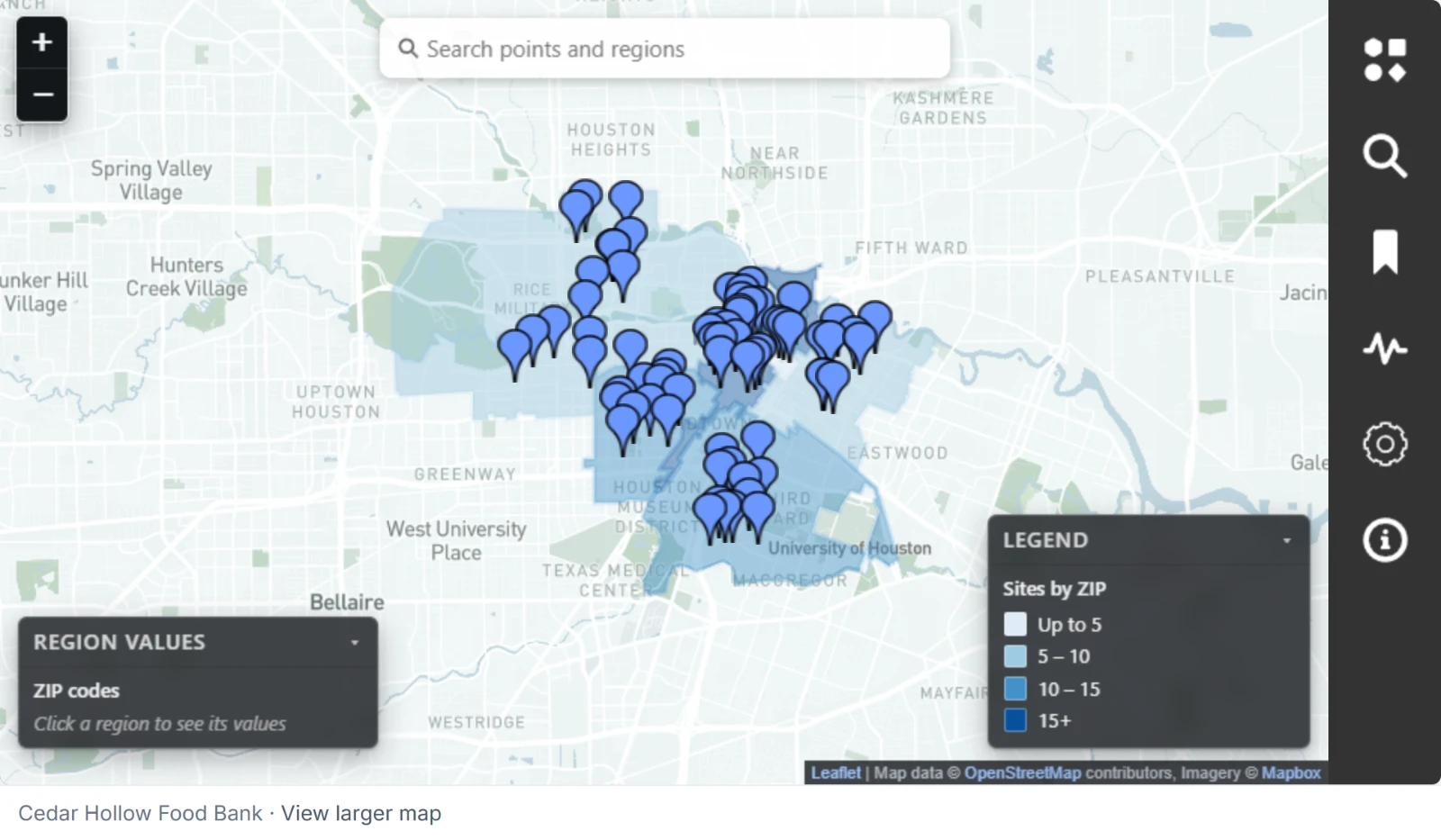
Any map whose link is on can go on a website. Visitors see the map to explore. One small line under it names your organization and opens the larger map. They don't sign in, and they see what anyone with the map's link sees. See What someone with the link sees.
Getting the code
- Open the map and choose Share.
- Switch on Anyone with the link can view, if it isn't on. See The link.
- Under Embed on a website, choose Copy.
The code is one tag:
<script src="https://cdn.toflourish.org/mosaic/v1/embed.js" data-map="K7QW3MPX9TZ4HN2R" defer></script>
data-map holds the letters and digits at the end of the map's link. Pasting the whole link there works, too.
Putting it on a page
Paste the tag where the map goes on your page. Most website builders, such as WordPress, Squarespace, or Wix, have an HTML or embed block for it.
The map fills the width of the space it's in and is 500 pixels tall. To change that, add these to the tag:
| Attribute | What it does |
|---|---|
data-height | The map's height in pixels, from 240 to 2000, such as data-height="700". |
data-title | The map's name for screen readers. |
The line under the map, your organization's name and View larger map, opens the map's link page in a new tab.
What stays in step
The website shows the map as it is. Layers you save, a new saved view, and fresh records from a live layer all reach the website with no change to the tag.
The link decides. Turn the map's link off and the map comes off every website at once. The website then says This map isn't available. Turning the link on again makes a new link, so a website needs the new tag.
A website's visitors open the map by its link. A live map reads your organization's data at most once a minute however many people visit. See Live or a copy.
Any website can show a map whose link is on.
In Salesforce
Mosaic's Salesforce package puts its maps on a website a different way, through a page of your Salesforce site that visitors sign in to. See Embedding a Map on a Website.