Sources and Settings
How to choose which of your organization's data maps can read, set its name and time zone, and keep an eye on its address lookups.
Overview
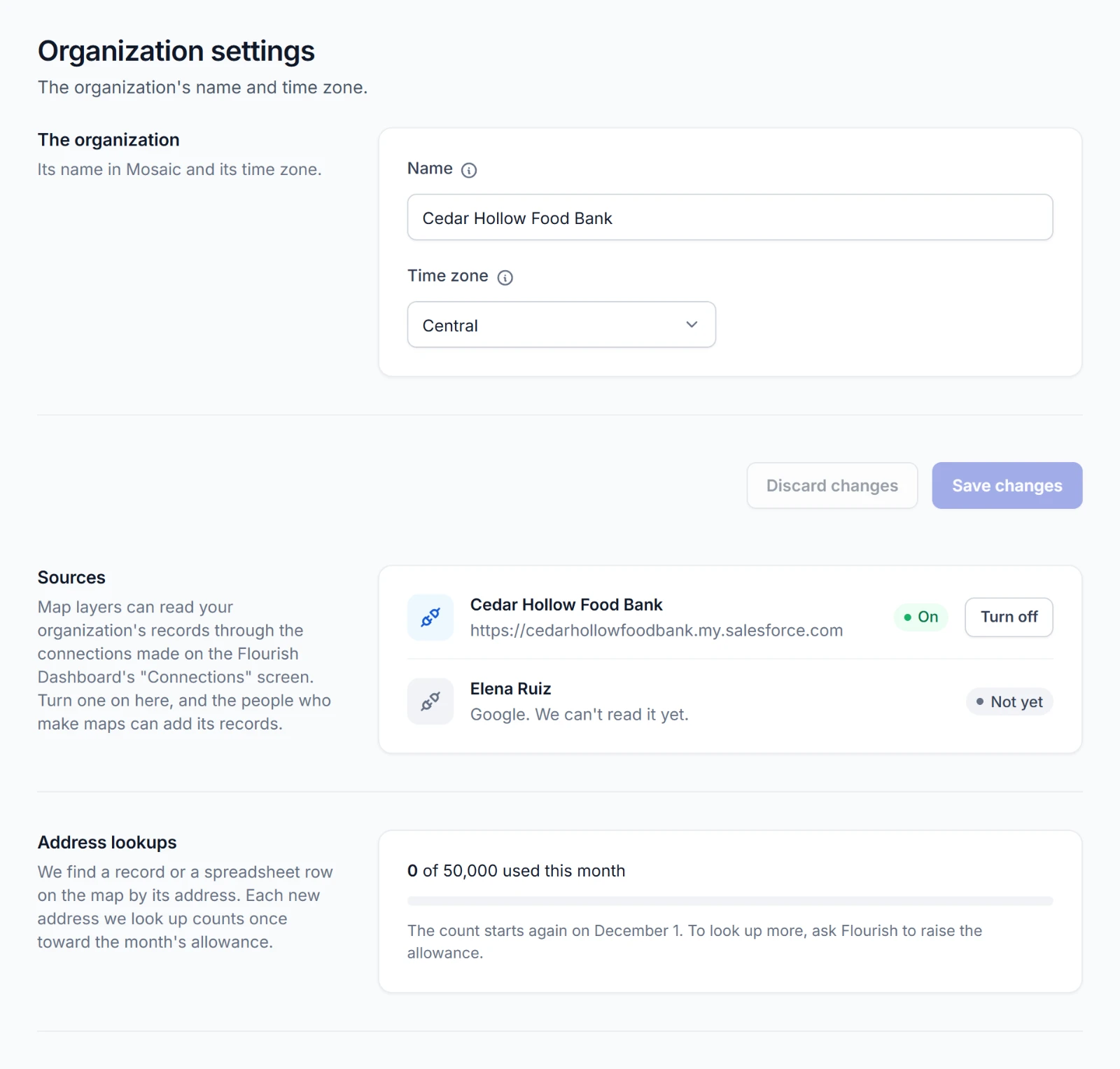
Settings in the sidebar holds three things:
- The organization: its name and time zone
- Sources: the connections whose records map layers can read
- Address lookups: how many addresses Mosaic has looked up this month, for admins
Admins change them. People who make maps see the sources that are on. Uploads, Census boundaries, and places need no source.
Sources
Where they come from
A source is a connection your organization made in the Flourish Dashboard. Its Owners and Admins make them on the Dashboard's Connections screen. See Connections.
Mosaic reads Salesforce. It lists the organization's other kinds of connection, too, marked Not yet with the line We can't read it yet.
If Sources says Nothing to turn on yet, your organization has no connection to turn on. Connect Salesforce in the Dashboard first.
Turning a source on or off
Admins use the button on each source's row.
- Turn on lets the people who make maps add its records with Add data. Turning a connection on also lets Mosaic use that account, and the Dashboard's Connections shows Mosaic among what can use it.
- Turn off asks first. Layers that read from it stop until it's on again. They aren't deleted.
What a layer sees
A layer reads Salesforce as the Salesforce user the connection signs in as. That user's sharing and field access decide what every layer on the connection can see. Everyone who opens the map sees what it shows, including anyone with its link. Their own access in Salesforce doesn't change that. Choose the account you connect with that in mind.
A pin's popup shows only the fields its map maker chose.
A layer reads through the organization's connection, so it keeps working when the person who made it leaves.
When a source stops working
A layer whose source can't be used says why above the map.
| The map says | What to do |
|---|---|
| This layer's source is turned off. An admin can turn it on in "Settings." | An admin turns the source on again. |
| This layer's connection needs connecting again. An admin can do that in the Flourish Dashboard. | The connection stopped working, for example because its password changed. An Owner or Admin adds it again in the Dashboard. See When a connection needs attention. |
| Salesforce refused this layer's connection. An admin can connect it again in the Flourish Dashboard. | Salesforce no longer accepts the connection. An Owner or Admin adds it again in the Dashboard. |
| This layer's connection is no longer in the Flourish Dashboard. An admin can connect it again there. | Someone disconnected it. An Owner or Admin connects it again in the Dashboard. |
A connection that needs connecting again shows Needs connecting again in Sources. One that's gone from the Dashboard shows under On here but no longer on the Flourish Dashboard, where an admin can turn it off.
Someone with the map's link sees only that a layer couldn't be read just then.
Organization settings
Admins change these. Everyone else can read them.
| Setting | What it does |
|---|---|
| Name | The organization's name in Mosaic and on the maps you share by link. |
| Time zone | The time zone that a map's morning copy and the month's address lookups follow. |
Change what you need and choose Save changes. Discard changes puts back what was saved.
Address lookups
Mosaic places records and spreadsheet rows on the map by their address. See Addresses become pins. Each new address it looks up counts once toward your organization's allowance for the month, found or not.
Address lookups shows how many of the month's allowance are used and the day the count starts again. The allowance is 50,000 a month unless Flourish raises it, and other Flourish apps that place addresses count toward it, too.
Once it's used up, a layer of records places its new addresses when the count starts again, and an upload leaves them out. The people who make maps are told so. To look up more, ask Flourish to raise the allowance.